
Wireless Car Charger 45-Minute Commute Test: Battery Gain vs Screen Brightness, GPS Load, and Heat
Keywords: wireless car charger commute test, 45 minute commute battery gain, magsafe charger brightness impact, gps load wireless charging car, summer cabin heat phone charging, real world car charger speed test
Most wireless car charger ads talk about peak wattage. Real commuters care about a simpler question: after a normal 45-minute drive with maps on, brightness up, and background apps running, does battery percentage actually go up enough to matter?
For a direct charging-vs-non-charging ownership comparison, see Wireless Charging vs Non-Charging Mounts (30-Day Test): Heat, Battery Health, and Daily Convenience in Real Commutes.
That is the practical test here. I ran repeat 45-minute commute sessions with controlled changes to brightness, navigation load, and cabin heat so the results reflect what drivers experience in daily life instead of ideal bench conditions.
If you want broader context first, read [MagSafe Charging Mount 30-Day Test: Heat Throttling, Alignment Drift, and Real Charging Speed], [Wireless Charging Mount 30-Day Real-Life Test: Heat, Alignment Drift, and Charging Stability], and Heat and Shock Tests: Car Phone Mount Safety Explained. This article zooms in on one specific scenario: commute-length charging performance under realistic stress.
How the 45-minute test was structured
I ran three repeated scenarios over multiple days:

Primary commute-use charging reference under mixed brightness and GPS loads.
Check Price on AmazonScenario A: Balanced commute - brightness around 60% - active turn-by-turn navigation - music streaming - normal cabin temperature
Scenario B: High visibility load - brightness near maximum - navigation + occasional voice assistant use - mixed stop-and-go plus highway sections
Scenario C: Summer heat stress - sun-warmed cabin after parked exposure - bright screen + navigation - similar route and duration to keep comparisons fair
Each session logged: 1) starting battery 2) ending battery after 45 minutes 3) charging continuity (stable vs intermittent) 4) phone warmth trend 5) alignment correction needs during drive

Useful benchmark for stable charging alignment across vibration-heavy routes.
Check Price on AmazonI also repeated runs on separate days because one clean session can hide variability.
Baseline observation: wattage labels vs commute reality
The first thing that became obvious is that label wattage and commute battery gain are not the same metric. A mount can advertise high charging capability and still deliver modest net gain in real driving if brightness and GPS load stay high or if thermal throttling appears early.
That does not mean the charger is bad. It means the phone’s power use and thermal limits share control of the final result. In commuting terms, net battery trend is the metric that matters.
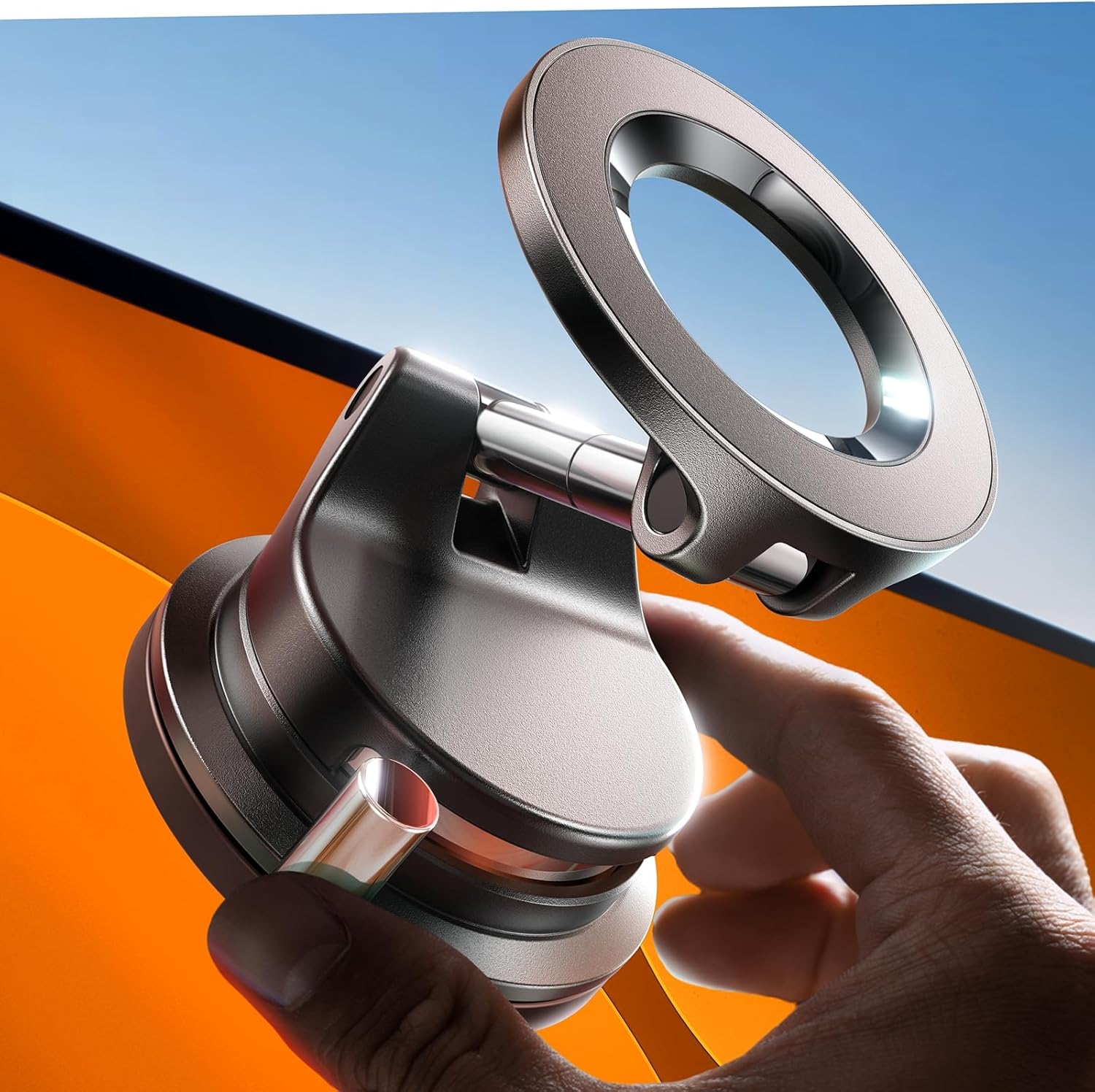
Comparison point for one-hand dock repeatability during daily stop-and-go commutes.
Check Price on AmazonScenario A results: generally positive and predictable
Under balanced settings, most quality charging mounts produced clearly positive battery movement over 45 minutes. Some gained faster than others, but the common result was practical: arrive with more battery than departure.
This is the condition where wireless charging mounts feel effortless. You dock once, follow navigation, and the device finishes with useful gain rather than merely holding steady.
For reference, I compared outcomes against LISEN 15W MagSafe Car Mount Charger Review: Wireless Charging Convenience with Daily-Use Fit Notes, VICSEED 2026 MagSafe Car Phone Holder: In-Depth Review, and LISEN A608 MagSafe Vacuum Mount Review: Strong Hold, Fast Repositioning, and Real-Use Tradeoffs. The strongest performers combined stable mounting with consistent alignment confidence.

Non-charging mount anchor for users comparing placement stability vs charging convenience.
Check Price on AmazonScenario B results: brightness tax is real
With near-max brightness and constant navigation, battery gain narrowed significantly. Some sessions still climbed well, others were closer to maintenance-level gain, and lower-performing setups occasionally hovered near flat.
This is where commuter expectations often break: people expect fast charging behavior while simultaneously running one of the heaviest display workloads possible. In practice, high brightness acts like a direct tax on net gain.
The practical takeaway is not to avoid brightness. It is to calibrate expectations and optimize mount placement for better thermal and alignment consistency.
Scenario C results: heat changes the game
Summer-cabin conditions produced the largest spread in outcomes. Better setups still gained battery, but at reduced pace. Average setups were more likely to show throttle-like behavior: charging remained active, yet net gain slowed enough to feel disappointing on consecutive hot days.
Heat did not always cause obvious failure. More often, it caused gradual reduction in effective charging pace. This is why a mount can feel fine while still underperforming your commute goal.
The best performers in heat shared two traits: - stable mechanical positioning that avoided coil drift - better tolerance to long screen-on sessions before noticeable slowdown
Where commuters lose battery despite charging
Three patterns explained most weak results: 1) imperfect alignment after quick dock (charging active but inefficient) 2) sustained max-brightness usage in hot cabin conditions 3) vibration-induced micro movement on less stable mounts
None of these issues is dramatic alone. Together, they can convert a 45-minute commute from meaningful gain to barely positive change.
How to improve real commute gain without changing phones
Small habits made measurable differences: - reduce brightness slightly when safe and practical - ensure first dock alignment is centered, not rushed - mount in a position with less direct sun load - use a stable base that minimizes vibration transfer - keep case and ring setup consistent to avoid alignment drift
For broader setup strategy, How to Install a Phone Holder Without Damaging Your Car Dash and Suction Cup vs Vent Mount: When Which Is Better? are useful companions to this test.
Final commuter verdict
On a 45-minute commute, wireless car chargers can absolutely deliver meaningful battery gain, but only when alignment, thermal conditions, and daily usage load are treated as one system. Peak watt claims matter less than repeatable net results under your real route conditions.
If your phone arrives warm and barely higher than departure percentage, do not assume the mount is defective immediately. Usually the fix is better placement, better alignment discipline, or reduced thermal stress. In everyday driving, consistency beats headline specs.
For the longer vent-specific durability and dropout perspective in hot weather, see [Vent-Mounted Wireless Charger 30-Day Test: Cooling Limits, Charge Dropouts, and Real Summer Usability].
For repeated parked-sun restart behavior specifically, see Phone Mount Summer Heat Recovery Test: 20 Parked-Car Cycles and Re-dock Stability in Real Commutes.
For a longer horizon on vent charging reliability, see Vent-Mounted Wireless Charger 30-Day Test: Cooling Limits, Charge Dropouts, and Summer Usability.
For long-run alignment drift and dropout patterns, read Wireless Charging Mount 30-Day Real-World Test: Heat, Alignment Drift, and Charging.
For direct sunlight readability and safer glance-time placement strategy, see Summer Sun Glare Readability Test: 12 Mount Positions Compared for Navigation Legibility and Safer Glance Time.
For orientation effects on navigation legibility during active commute load, read Portrait vs Landscape Navigation Test: 30-Day Turn-Clarity, Lane-Change Confidence, and Touch Error Rate.
For night-driving glare tradeoffs where brightness strategy meets mount height and reflection geometry, see Night Driving Glare Test: Screen Brightness vs Mount Height for Safer Glance Time.
For gray-light and wet-weather commuting where display load and brightness interact, also read Rain and Fog Readability Test: Wet Glass, Mount Height, and Safer Glance Time in Low-Contrast Weather.
For brightness strategy while troubleshooting polarized-lens readability during real commuting load, see Polarized Sunglasses Phone Screen Test: LCD vs OLED, Mount Angle, and Safer Glance Time in the Car.
For camera-safe placement zones when charging mounts tempt high windshield positioning, see ADAS Camera and Sensor Safe-Zone Test: Phone Mount Placement for Lane-Assist, Rain Sensor, and Driver Visibility.
For charging-mount placement tradeoffs when high windshield zones interfere with HUD readability, see HUD Reflection Interference Test: Phone Mount Position vs Windshield Ghosting, Night Contrast, and Safer Glance Time.
For commuting load tests where navigation app interface density changes real touch workload, read Map-App UI Density Test: Google Maps vs Apple Maps vs Waze on Mount Readability, Touch Error Rate, and Safer Glance Time.
For quick selection before deeper testing, use MagSafe vs Clamp vs Suction: Which Car Phone Holder Should You Buy in 2026? and Best Car Phone Holders by Driver Type: Commuter, Rideshare, Truck, Family, and Delivery Use Cases (2026).
For a 2026 iPhone-focused roundup of the most consistent MagSafe and magnetic wireless chargers, read Best MagSafe and Magnetic Wireless Chargers for iPhone 2026.
Related pit-stop workflow diary for DC charging rows: EV DC Fast-Charging Pit Stop Field Test: Cable Slack, Cabin Heat, and Merge-Ready Re-seat Habits.
Related USB wireless CarPlay/Android Auto adapter stack diary: Wireless CarPlay Adapter Reality Check: USB Dongle Stack, Mount Placement, and the Reconnection Habit That Owned My Cabin.
Wireless Android Auto–first mount and reconnect diary: Wireless Android Auto First: 18-Day Mount, USB Power, and Reconnect Rituals When the Dash Map Still Is Not Enough.
MagSafe wallet / PopSocket / ring stack mount diary: MagSafe Plus Wallet, PopSocket, and Ring Week in the Car: 12 Days of Dock Torque, Wireless Charging Honesty, and Mount Fit.
Gig delivery shift simulator mount diary (maps, timers, messaging): Gig Delivery Shift Simulator Phone Mount Test: 10 Days of Maps, Timers, Messaging, and Dock Fatigue.
Factory console Qi pad vs phone mount conflict diary: Factory Console Qi Pad vs Phone Mount: 14 Days of Heat, Double-Charging Paranoia, and Placement Conflicts.
Review articles
View all →
