
EV DC Fast-Charging Pit Stop Field Test: Cable Slack, Cabin Heat, and Merge-Ready Re-seat Habits
Keywords: EV phone mount DC fast charging pit stop, car phone holder charging station cable slack, phone mount heat cabin parked charging, merge ready phone dock EV road trip, wireless charging mount alignment stall, MagSafe car mount EV commuter
I did not set out to become the guy who has opinions about charger islands. I set out to drive home without my phone acting like it forgot who I am.
If you have never done the EV road-trip thing with a family, the weird part is not range math. It is the choreography at the stall: cable, door, kid question, sun load, and the moment you realize your phone mount was tuned for a twenty-minute commute, not a thirty-five minute heat-soak next to a humming cabinet.
This is a field log, not a kilowatt lecture. I kept notes across real DC stops on familiar corridors and a couple of “I should have planned better” stretches. I cared about three boring outcomes: could I plug without fighting my own cable slack, did the cabin turn the phone into a little oven anyway, and could I get the phone back on the mount before merging without that second embarrassed glance at the screen.
If you want the long-run charging mount story first, read Wireless Charging vs Non-Charging Mounts (30-Day Test): Heat, Battery Health, and Daily Convenience in Real Commutes in the site library. That piece is about weeks. This one is about the ugly minutes beside a charger.
What a DC stop does to your head that a gas pump never did
At a gas pump, you stand, you wait, you leave. At a DC stall you are still “in the car” mentally because the car is on, the fan is doing something, the UI is telling you stories, and your phone is still your logistics brain for snacks, bathroom timing, and the next leg.
So the mount question stops being “where looks clean in a photo” and becomes “where can I return the phone without thinking after my hands are full of cable and coffee?”
How I scored each stop without pretending I had a lab coat
I used a simple scorecard at the end of every stop: plug frustration (1-5), cabin heat annoyance next to the phone, whether the mount needed a re-aim after I unplugged, and whether I felt merge-ready within one glance cycle. Not science. Honesty.
Cable slack is the silent villain
The charger handle wants a certain bend radius. Your phone wants to sit in a certain mount height. Your foot well still contains a purse. Those three truths do not negotiate.
I started leaving a deliberate coil pattern before I walked to the plug, the same way you learn to stage a hose so it does not kink. If you think cable routing only matters for wired CarPlay, you have not watched a DC cable try to steal your shifter zone after a rushed re-entry.

Charging-mount behavior at stalls: alignment after bumps, top-off confidence, and heat patience when the screen stays bright.
Check Price on AmazonFor the mount-centric cable fight in wired setups, the CarPlay/Android Auto cable-interference test on this site is still the right companion read. The geometry rhymes even when the cable is “just” charging.
Mount height and sun are not philosophical on a baking lot
I am not saying every EV cabin cooks the same. I am saying the phone screen still climbs in temperature when navigation is bright, the stall is sunny, and you are not moving enough air past the glass you care about.
That is where my summer heat recovery diary on parked-car cycles kept popping into my head like a boring friend who is always right. If your mount already misbehaves after heat, a charging stop is basically a concentrated version of the same roast.
Wireless charging mounts at stalls: convenient until they are fussy
When alignment is good, snapping the phone on a charging mount before you walk to the plug feels like a flex. When alignment is slightly off because you bumped the arm getting out, you discover the fuss on the return, not on the way out.
I stopped treating “it charged earlier” as proof it will charge after a hot cabin and a hurried dock. Alignment discipline matters more at a stall than it does in your driveway because your patience is lower.
If you want the shorter commute-shaped charging measurement, the 45-minute wireless car charger test is a useful parallel. Same family of annoyances, different time scale.
Non-charging mounts plus a cable: boring, sometimes winning
There were stops where I intentionally used a plain magnetic head and a separate cable because I wanted fewer thermal variables and less “did it blink on” anxiety. The trade was obvious: more hand motions, less mystery.
If you are already torn on that trade for normal weeks, the wireless vs non-charging comparison article is the cleanest decision frame. I am only adding the stall angle on top.
Re-seat confidence is merge confidence
The scary bit is not dropping the phone. The scary bit is drifting back into a charger row with your map still two degrees off because you fixed the cable but not the ball joint.
I started rating mounts by whether they “remembered” yesterday’s angle after a heat cycle and a plug session. If I had to re-teach the hinge every time, the mount failed the stall test even if it was fine at seventy on an open highway.
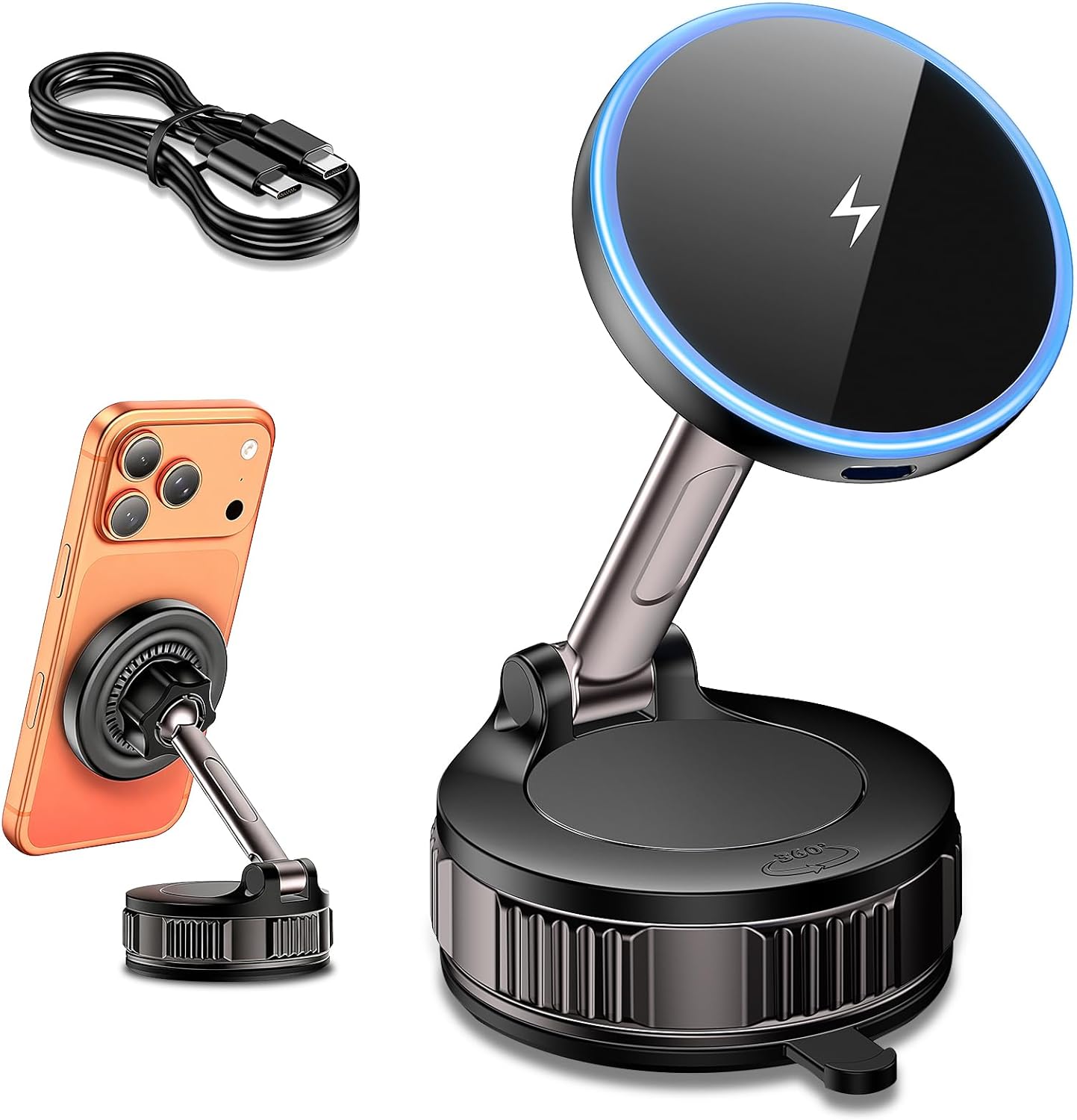
Higher-stakes charging alignment reference when you want suction flexibility but still care about coil honesty after hot returns.
Check Price on AmazonPotholes on the way out of the lot are rude reality checks
Some charge plazas have miserable pavement transitions. That matters because a mount that micro-shifts on a sharp lip makes you distrust it for the whole next leg.
If you want the blunt-force version of that idea, read the pothole impact recovery test for mounts. I am not repeating that test here, but the instinct is the same: vibration reveals slop.
Passenger behavior changes at chargers too
Someone always wants to show you a meme while you are trying to read state of charge and kid snacks at the same time. Mount placement that worked solo becomes a shared attention fight.
I am not going to pretend one mount fixes family politics. I will say center-biased, slightly lower placements reduced the “hold it closer” instinct from the passenger seat compared with my windshield-tall experiments.
If you live in tall cabins, the SUV seat-height mount test is still the right background for why “the same mount” feels different across vehicles.
What I changed in my own routine after enough embarrassing stops
I stage cable slack before I open the door. I pick a default brightness policy for charging time so auto-brightness is not making choices while sweat exists. I tighten ball joints on Sunday, not at minute twenty-nine of a session.
What I stopped defending
Mounts that needed a second stabilization touch every time I returned from the plug. Life is too short to negotiate a hinge next to a stranger’s bumper.
Product anchors that matched the stall week in real use
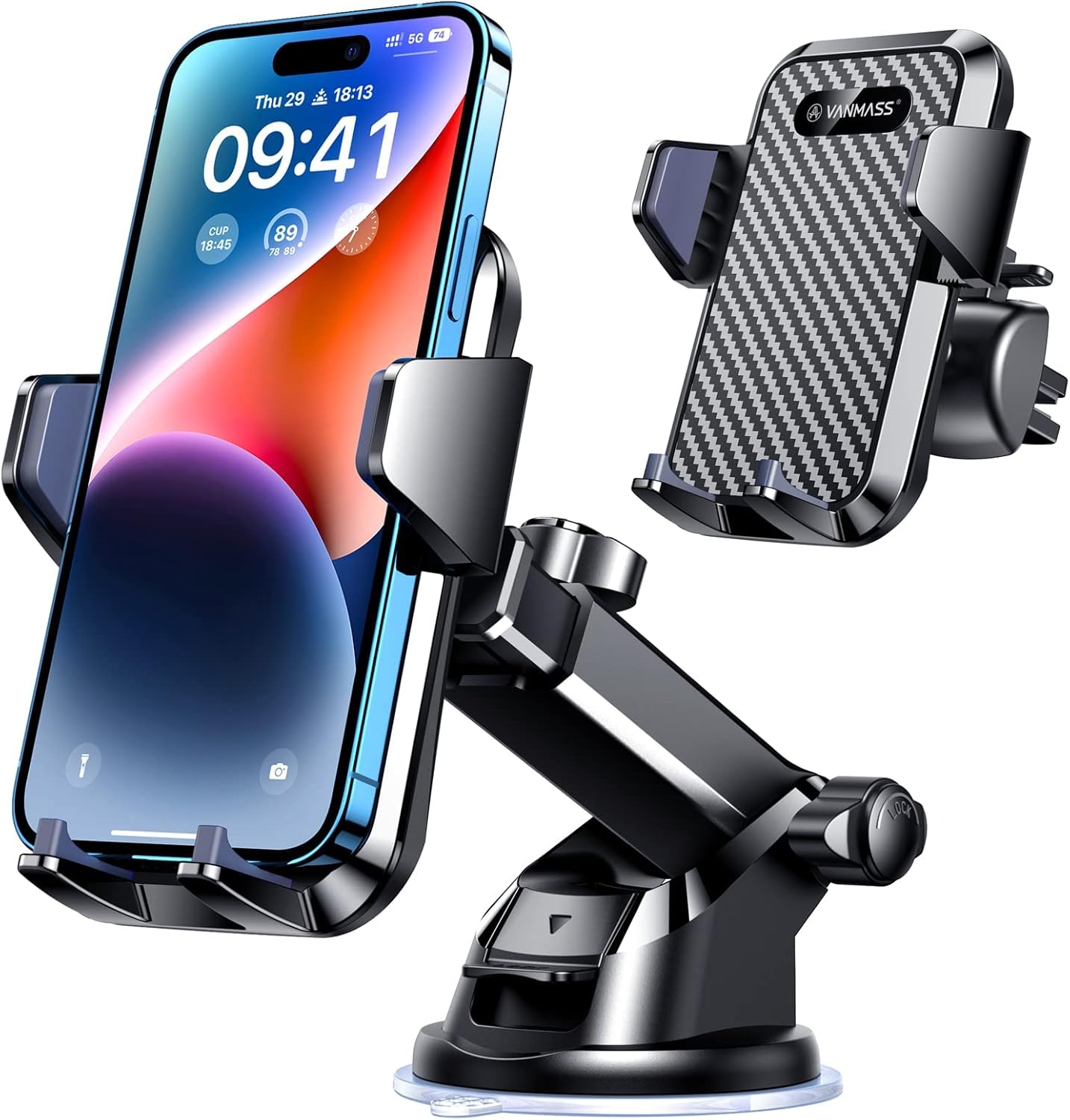
Non-charging multi-surface anchor for “cable only” stall weeks when you want fewer charging variables and predictable re-seat.
Check Price on AmazonI rotated references that behaved like the real market: a charging-capable magnetic setup, a high-output style charging mount for alignment sensitivity, and a multi-surface non-charging anchor when I wanted fewer charging variables and more placement freedom. You will see them linked in the product blocks below, not because any one is “the EV mount,” but because they map to the three stall behaviors I kept measuring: charge alignment, heat patience, and re-seat honesty.
Final takeaway
EV charging stops are not a charging story only. They are a cabin workflow story, and your phone mount is part of the workflow whether you planned it or not.
If you are buying for summer legs and charger rows, do not optimize for parked perfection. Optimize for hot return, messy cable, and one-glance merge readiness.
When you are done with pit-stop ergonomics, go back to the broader 2026 shortlist and driver-type guide on the site and sanity-check what you actually need before you buy twice.
Related USB wireless CarPlay/Android Auto adapter stack diary: Wireless CarPlay Adapter Reality Check: USB Dongle Stack, Mount Placement, and the Reconnection Habit That Owned My Cabin.
Screen-heavy EV dash and windshield placement diary (Model 3 / Model Y class): Model 3 and Model Y Phone Mount Field Test: 21 Days on Soft Dash, Long Glass, and Heat-Soak Re-seat Reality.
Family road trip multi-device mount zoning diary: Family Road Trip Week: Multi-Device Mount Zoning, USB Port Politics, and the Back-Seat Tablet Truce.
Review articles
View all →

![ANDERY Car Phone Holder for Magsafe [78+LBS Strongest Suction] - article prod...](https://m.media-amazon.com/images/I/41vEvhI9M7L._AC_SL1500_.jpg)