
Wireless CarPlay Adapter Reality Check: USB Dongle Stack, Mount Placement, and the Reconnection Habit That Owned My Cabin
Keywords: wireless CarPlay adapter phone mount, Android Auto wireless dongle cable management, USB CarPlay adapter mount placement, car phone holder wired CarPlay wireless adapter, one hand dock USB-C strain relief, wireless charging mount CarPlay adapter stack
My car did not get factory Wireless CarPlay. My car got a USB port that acts polite until it does not, and a head unit that thinks “premium” means wired everything forever.
So I did what millions of people do: I bought a little wireless adapter dongle and told myself the problem was solved. The problem was not solved. The problem moved into the footwell and started negotiating with gravity.
This article is not a brand shootout for adapters. I am not ranking dongles like fantasy football. This is a mount diary about what changes in your cabin once you add a second box, another cable, another handshake, and another reason to unplug things at the worst possible moment.
If you want the pure cable-and-shifter geometry story without the wireless middleman, start with the CarPlay/Android Auto cable-interference test on this site. Then come back here, because the adapter stack rhymes with that mess and adds its own personality disorder.
What the dongle stack quietly steals first
It steals space you did not know you were budgeting: USB port clearance, cable exit angle, and the mental bandwidth to remember which cable is “CarPlay” and which cable is “just charging the phone because the phone is doing real work.”
It also steals mount confidence. Not because the mount got weaker. Because your docking rhythm got more steps, and more steps means more chances to snag a connector when you are trying to leave a parking spot like a normal person.
The “it works in the driveway” trap
Adapters love a clean cold start in the driveway. They also love to remind you they exist after a hot cabin, a quick grocery run, or that one time you bumped the cable with your knee and the head unit pretended it never met your phone.
I stopped treating first-connection success as proof. I started treating third-connection success as proof, because that is closer to real life.
Why mount placement suddenly matters again
When the phone was wired CarPlay, my mount height was partly chosen to keep the cable from draping across the shifter. With the adapter inline, the strain relief zone moved. The phone still wanted the same glance line, but the cable wanted a different bend radius, and the adapter box wanted a flat-ish place where it would not audition as a projectile.

Universal clamp baseline when the phone changes often and you need predictable grab without magnetic case drama.
Check Price on AmazonI ended up lowering the mount slightly and moving it closer to the port side of the cabin. Not because “lower is safer” as a slogan. Because it shortened the stupid triangle between eyes, hand, and connector.
If you want the native wireless CarPlay angle where the phone still refuses to disappear from your life, read Wireless CarPlay and Phone-Primary Navigation: Mount Height, Reach, and Split-Attention Field Notes. Adapter wireless is not identical to factory wireless, but the cabin argument is the same: two screens, two habits, one pair of eyes.
The reconnection habit is the real product
People talk about latency. I talk about the shame of sitting at a green light toggling Bluetooth like I am debugging a router in public.
My practical fix was boring: a repeatable power cycle order and a mount that let me remove the phone without disturbing the adapter cable bend. If your mount makes you twist the phone to clear the plug, you will eventually win… and the USB-C tongue will lose.
For docking speed habits across mount types, the one-hand docking speed test is still the right baseline. The adapter stack is basically a difficulty multiplier on the same test.
USB power anxiety is not paranoia, it is experience
Some ports behave like they are generous until you run maps, screen brightness, and a hot modem stack at the same time. Add a wireless adapter that is basically doing a radio workout in a small plastic case and you start noticing little voltage sag stories: slower charge, warmer phone, or that quiet “why did wireless drop” moment.
I am not turning this into an electrical engineering blog. I am saying the mount is where you see the symptom first, because you keep looking at the phone like it owes you an explanation.
Wireless charging mounts while an adapter is plugged in: a comedy genre
There were weeks I tried to “solve everything” by using a MagSafe charging mount and the wireless adapter at the same time. Sometimes it was great. Sometimes it felt like I was asking the phone to run a marathon while wearing a backpack full of batteries and opinions.
If you want the measured charging-vs-non-charging framing, read Wireless Charging vs Non-Charging Mounts (30-Day Test): Heat, Battery Health, and Daily Convenience in Real Commutes. The adapter version of that trade is: more boxes, more heat pockets, more “what did I unplug last” confusion.
The shorter commute-shaped charging read is still Wireless Car Charger 45-Minute Commute Test: Battery Gain vs Screen Brightness, GPS Load, and Heat, which is useful when you are trying to separate “charger marketing” from “what happened on Tuesday.”
Passenger interference gets worse, not better
Passengers do not respect dongle clearance. They step on cables, they kick adapters, they rotate the phone to show you a photo while you are merging, and then they act surprised when your CarPlay session divorces your head unit.
Mount placement that reduces rotation and reduces “hold it closer” instincts mattered more than any adapter firmware update rumor I read online at midnight.
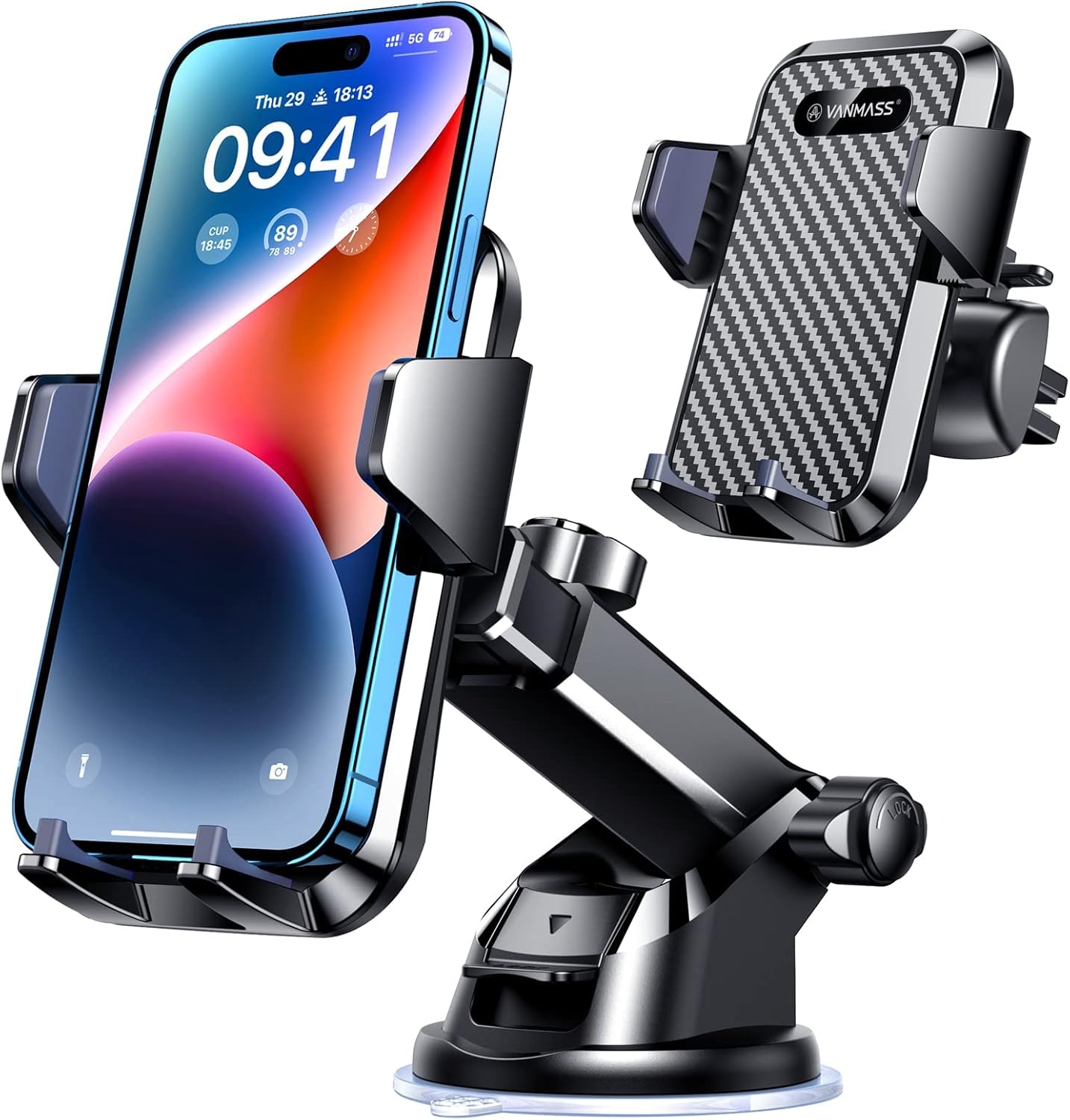
Multi-surface placement when the dongle cable wants a gentler bend radius and your vent is done negotiating.
Check Price on AmazonHeat cycles made me a cable tie person
I resisted cable ties for years because I thought they looked like I gave up on life. Then I watched a summer-hot adapter dangle just enough to pull micro-stress on the port and cause intermittent disconnects.
A tidy bend radius is not aesthetics. It is reliability.
If you want the blunt-force vibration truth for why mounts drift after abuse, read Pothole Test for Car Phone Mounts: 100 Sharp Hits and First-10-Minute Re-Aim Results. Adapter life is not the same test, but the cabin lesson is: shocks reveal sloppy habits.
Android Auto friends are not exempt
I watched a buddy’s setup for a weekend trip. Same dongle category, different phone politics, same footwell comedy. The mount questions mirrored mine: where does the box live, how do you dock without torquing the connector, and how do you stop the cable from becoming a passenger’s favorite trip hazard.
If you want the mount-style fork before you spend twice, read MagSafe vs Clamp vs Suction: Which Car Phone Holder Should You Buy in 2026?. Adapters do not remove that decision. They make it more honest.
What I changed in my own routine after enough silent disconnects
I picked a default mount side and stuck with it. I stopped “experimenting” with tall windshield placement while the dongle cable was still learning its job. I rehearsed unplug order for gas stations: phone first, adapter second, or the reverse, but never random.
What I stopped pretending
That a wireless adapter deletes cable management. It relocates it, hides it behind optimism, and then invoices you in inconvenience.
Product anchors that matched the dongle weeks

iPhone weeks with magnetic top-up while the adapter handles CarPlay—only when your USB power budget is honest.
Check Price on AmazonI rotated hardware that behaved like real buyers do: a strong universal clamp style for “any phone, any week,” a multi-surface suction kit when I needed placement freedom to keep the adapter cable happy, and a MagSafe charging mount for the iPhone-heavy weeks when I still wanted top-up despite the extra stack. You will see them in the product blocks below.
Final takeaway
If you are buying a mount after adding a wireless CarPlay or Android Auto adapter, buy for connector kindness first, glance stability second, and flex-ability third.
When you are done, sanity-check the broader shortlist on the site: The Best Car Phone Mounts for 2026.
The honest end note
I still use the dongle. I just stopped treating it like magic and started treating it like a second passenger with elbows. The mount is what keeps that passenger from picking fights with your shifter.
If you also run big phones, thick cases, or foldables, the cabin gets even pickier about clamps and charging alignment. That is why I paired this with Foldable and Oversized Phone Week in the Car: Weight, Hinge Attitude, and Wireless Charging Alignment Games, not because foldables are “trendy,” but because they punish lazy mounting faster than marketing photos admit.
Screen-heavy EV dash and windshield placement diary (Model 3 / Model Y class): Model 3 and Model Y Phone Mount Field Test: 21 Days on Soft Dash, Long Glass, and Heat-Soak Re-seat Reality.
Two-phone cabin workflow diary (work + personal): Two Phones, One Car: 14 Days of Work-and-Personal Mount Memory, Dock Order, and Charging Jealousy.
Wireless Android Auto–first mount and reconnect diary: Wireless Android Auto First: 18-Day Mount, USB Power, and Reconnect Rituals When the Dash Map Still Is Not Enough.
Speakerphone and voice assistant mount placement diary: Speakerphone and Voice Assistant Week: Mount Height, Cabin Noise, and the Geometry of “Can You Hear Me Now”.
Review articles
View all →

![ANDERY Car Phone Holder for Magsafe [78+LBS Strongest Suction] - article prod...](https://m.media-amazon.com/images/I/41vEvhI9M7L._AC_SL1500_.jpg)